TL;DR Schools are high-trust environments and most learners are minors. DPDP puts guardians at the centre of many consent decisions while the school stays accountable for the full estate: ERP, LMS, buses, fees, comms, and dozens of edtech logins. If privacy lives only in one ERP module, photo opt-outs, vendor terms, and parent-facing history fall out of sync. Kavach is modeled as a dedicated child-data layer—APIs, webhooks, optional browser assist—not a timetable-vendor feature.
Schools are high-trust environments—and most learners are minors. Under the DPDP framework, parents or lawful guardians are usually central to consent and transparency, while the school remains accountable for the classroom, the bus, the canteen, and edtech logins. Kavach is a dedicated consent and rights layer across ERP / SIS, LMS, transport and fee apps, and communication tools—with APIs, webhooks, and optional browser assistance for legacy staff screens—so children’s data is not governed only by whichever vendor shipped your timetable module.
This article mirrors the structure and diagrams on the Kavach education solution page (also published at dpdpkavach.netlify.app/solutions/education)—for leadership, safeguarding, and IT building a defensible minor-data programme.
What you’ll take away
- Why “ERP-only” student privacy fails when buses, photographers, LMS vendors, and parent comms sit outside that vendor.
- A reference topology (vector sketch) plus five Mermaid figures: school IT mosaic + Kavach, governance contrast, year rhythm, guardian–school–vendors, edtech onboarding.
- A function-by-function table (scrollable on small screens) across the school day and year.
- How webhooks keep guardian opt-outs aligned with CRM, website, and suppliers—and a leadership checklist you can reuse in workshops.
- How guardian portals and collection surfaces stay aligned with internal admin views.
Reference topology (vector sketch)
Illustrative boxes · not a network diagram to scale
Student-data governance should not be “whatever your school ERP allows”
The student information system holds rosters, grades, and fees—but personal data also flows through homework apps, online assessment platforms, school buses with GPS, payment gateways, yearbook photographers, and parent WhatsApp groups managed by third-party tools. If notices and consent live only inside one ERP screen, you get inconsistent opt-outs for photos, forgotten edtech terms, and parents who cannot see one truthful history for their child.
Kavach is deliberately separate: versioned notices, guardian consents, withdrawal of optional uses, and rights requests—wired to the systems that actually touch children’s data—so your DPDP posture matches how school really works.
When a guardian withdraws photo consent or marketing messages, webhooks push that decision to the CRM, website team, and photographer—not only to the ERP row.
Boards and parent associations increasingly ask specific questions—not whether you “have a privacy policy,” but whether each system respected the guardian’s choices.
Where children’s data appears—across the school day and year
The table is oriented to K–12 schools (day and boarding). Coaching centres and universities can reuse many rows with lighter transport or boarding emphasis. Kavach implements workflows and evidence; your leadership and counsel define policy and lawful grounds.
| School function | Typical personal data activity | Notice, guardian consent & minor-specific themes |
|---|---|---|
| Admissions & enrolment | Application forms, birth certificates, prior school records, sibling links, sibling discounts. | Guardian identity and relationship; purpose of processing; how long records are kept; separate optional uses (merchandise, referrals). |
| Student ID & directory | Photos, roll numbers, class lists, ID cards, parent phone books. | Directory sharing opt-in/out; who may receive class lists; photo on ID vs marketing use. |
| Attendance & safety | Daily attendance, late arrivals, gate passes, visitor logs. | Safeguarding and statutory attendance; minimisation for visitors; retention of gate logs. |
| Classroom & learning | Marks, teacher notes, behaviour records, portfolio work stored digitally. | Educational purpose; access limited to staff with legitimate need; retention aligned with board rules. |
| Homework, LMS & edtech | Logins to third-party apps, device data, chat in learning tools, AI-assisted homework products. | Per-vendor purpose; sub-processor awareness; guardian approval for minors; what happens when licence ends. |
| Assessments & boards | Internal exams, board registration, marksheets, certificates. | Examination administration; sharing with boards and universities; transcripts to parents. |
| Transport & trips | Route assignments, GPS, pickup persons, medical notes for outings. | Location and safety; emergency contacts; photos from trips separated from marketing unless opted-in. |
| Health office / infirmary | Allergies, medications, clinic visits, vaccination records. | Sensitive health context; staff access; sharing with parents; minimisation on trip manifests. |
| Canteen & payments | Prepaid wallets, UPI, dietary preferences. | Payment processing; no reuse for profiling beyond canteen service without consent. |
| Events, photos & publications | Annual day, sports day, website galleries, social posts, press coverage. | Explicit guardian choices for face/voice in public media; granular withdrawal; yearbook vendors bound by same purposes. |
| Counselling & learning support | Special needs plans, psychologist notes, referral letters. | Heightened confidentiality; restricted roles; guardian access rules per policy. |
| Discipline & safeguarding | Incident reports, bullying investigations, CCTV in common areas. | Lawful bases may include safety and legal obligation; clear retention; separate from general marketing datasets. |
| Alumni & advancement | Graduate contacts, donations, reunions. | Often a fresh relationship after majority or with guardian transition; marketing separated from academic records. |
| Parent communications | SMS, email, mobile apps, WhatsApp Business APIs. | Channel preferences; transactional vs promotional; unsubscribe that actually reaches the dialler and CRM. |
From admission to graduation—consent stays cumulative
Children stay for years. Notices change, vendors change, and optional programmes start mid-way. Kavach keeps a continuous timeline per student (and guardian account) instead of a one-off checkbox at admission.
Each stage can introduce new vendors or purposes (for example a new LMS). Kavach prompts incremental guardian notices where needed instead of silently inheriting old terms.
Minors and guardians in product
For most school-aged children, the data principal in practice is often the parent or guardian acting on their behalf, while the school remains the fiduciary responsible for fair processing. Kavach reflects that in product: guardian accounts, child profiles linked under a family, and audit trails showing who consented and which notice version applied—without turning the ERP into a legal document store.
As learners mature, some schools introduce age-appropriate participation (for example viewing their own timetable or counselling requests). Your policies define when that begins; Kavach supports separate roles and scoped visibility.
Checklist leadership teams use with Kavach
- Can every optional use (photos, marketing, research) be refused without affecting core schooling?
- When a guardian updates a choice, do bus, website, and photographer all receive the same signal?
- Are edtech logins provisioned only after the relevant notice and consent (or other lawful basis) is on file?
- Can you produce a per-child timeline for a board inspection or parent grievance in minutes, not days?
Kavach does not determine legal age thresholds or substitute for your policies and counsel; it operationalises the notices, consents, and records you adopt.
Edtech and service providers
When a class adopts a new learning app, personal data crosses to an external processor. Attach the correct notice, record guardian position, and enable roster or SSO only when policy allows—integrating via APIs and webhooks as on our platform page. When a vendor relationship ends, the same spine supports deprovisioning and data return or deletion expectations.
If the vendor relationship ends, the same integration spine helps you document deprovisioning and data return or deletion expectations.
Parent-facing transparency
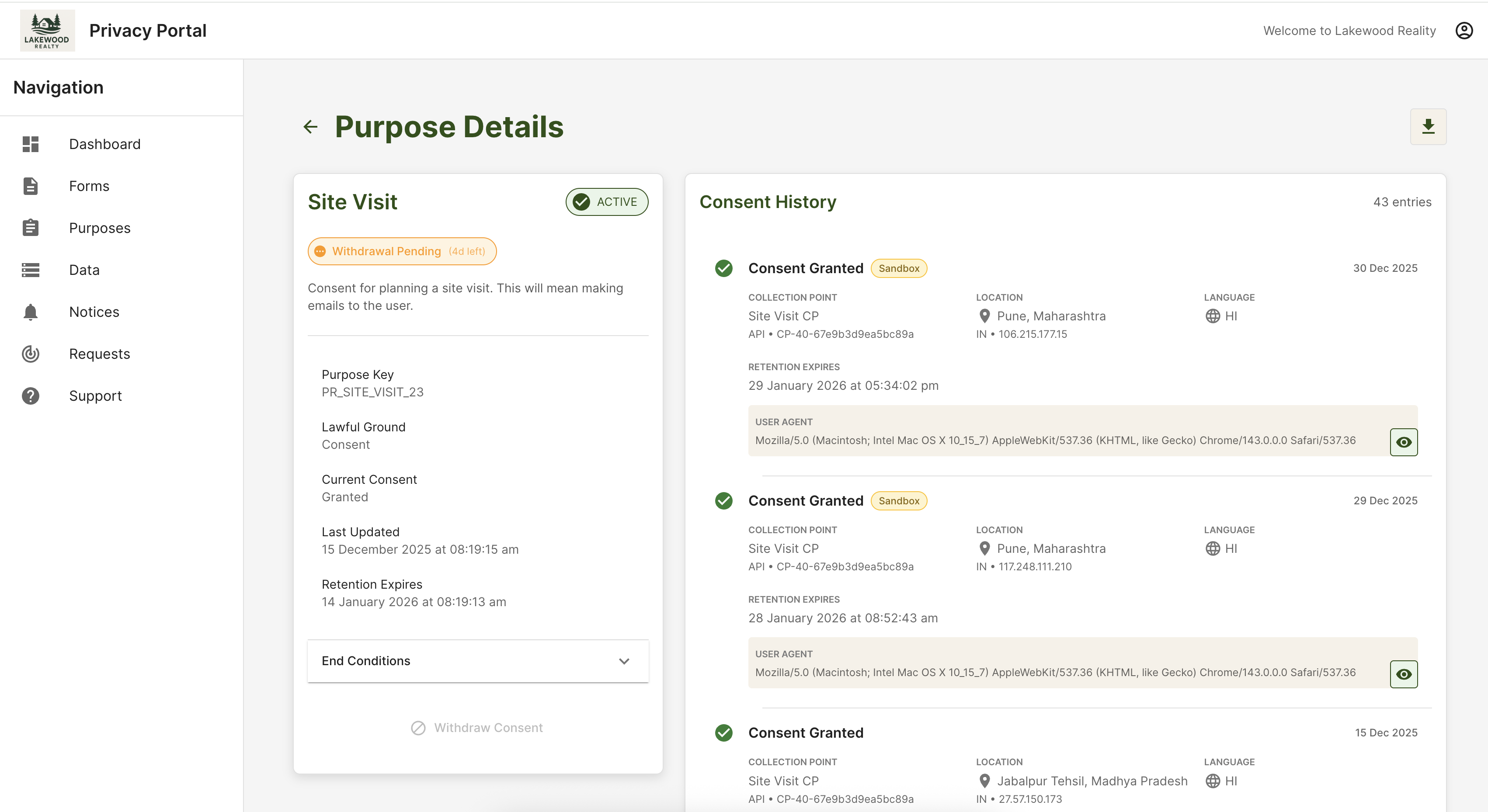
Guardians review history, active purposes, and open access or correction requests in clear language—aligned with what administrators see internally, so trust disputes shrink.
Below is a representative Kavach portal view suitable for a parent account, hosted on this site as /images/DP_portal.png. Map labels and branding to your school; demo tenants may show placeholder organisation names.
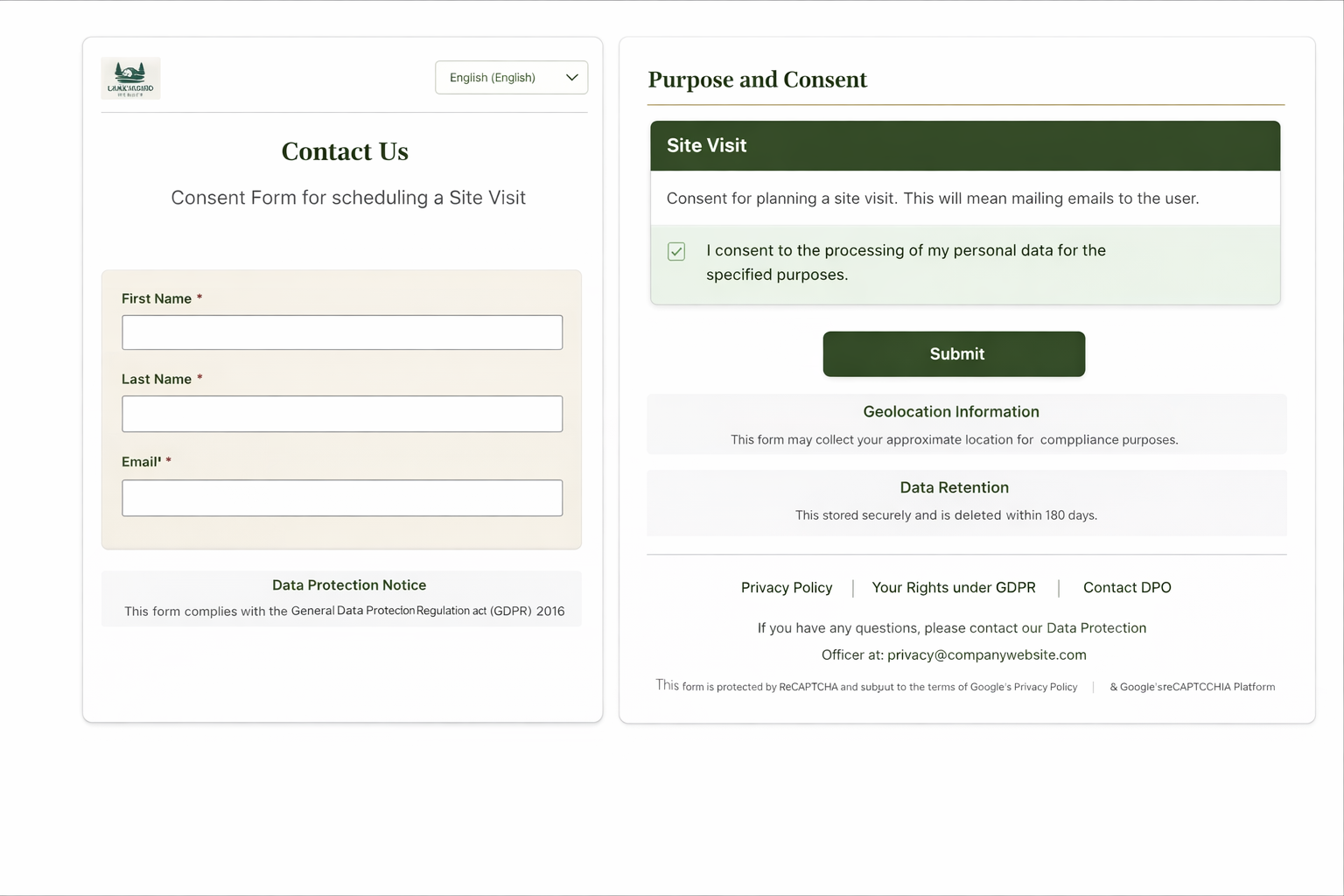
Admission and re-enrolment flows can embed the same notices and granular choices—on the web, kiosk, or staff-assisted tablet:
For the full solution narrative, see the education solution page.
Related links
Kavach provides software for notices, consent, rights workflows, and audit evidence. Policies for minors, boards, and international families should be confirmed with your legal and safeguarding teams.